
Anton Marketer’s AI Digital Marketing Knowledge App
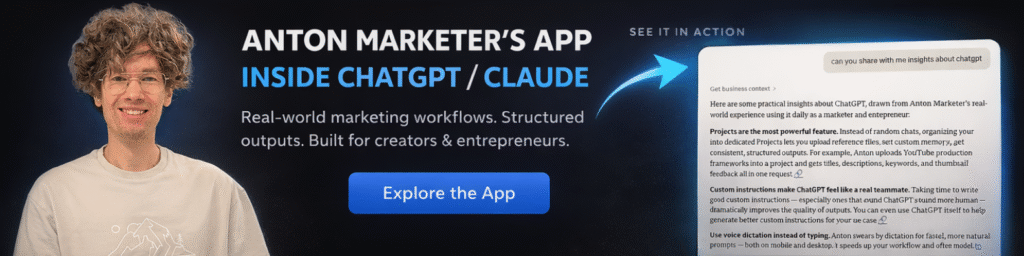
Use inside ChatGPT, Claude & any MCP-compatible AI
Your digital marketing brain — directly inside your favorite AI app.
This AI app from antonmarketer.com turns curated digital marketing, advertising, growth and AI content into an interactive, decision-ready knowledge layer. Instead of browsing articles or watching hours of content, you describe your task, and the assistant pulls the most relevant insights instantly with links to trusted sources.
It works inside ChatGPT, Claude, Mistral and any AI tool that supports MCP connectors.
You don’t consume content. You execute with it.
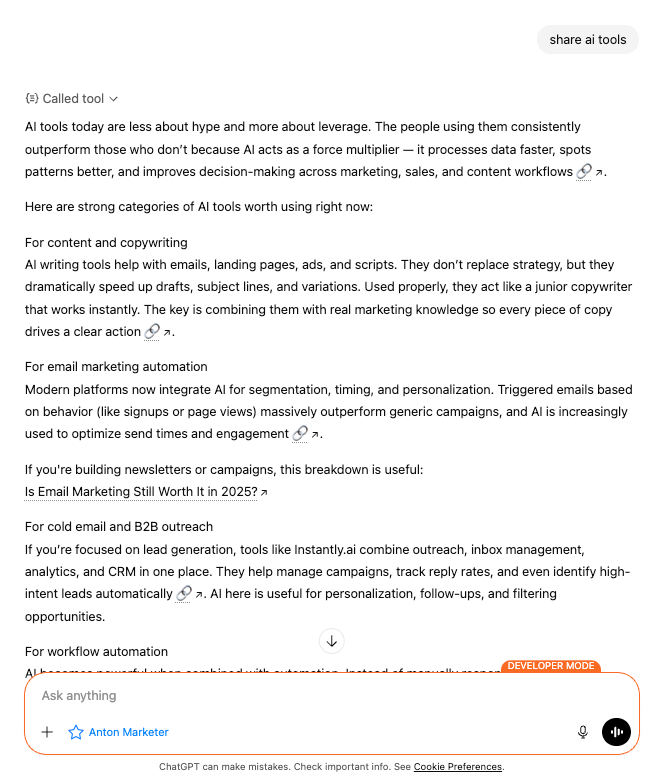
What You Can Do
Ask on any language. Get structured, practical answers based on real digital marketing use cases, tools, frameworks, and AI workflows.
Examples:
“How do I structure a performance marketing campaign for a SaaS product?”
“Create a Meta Ads testing framework for a new e-commerce brand.”
“Build a 30-day AI content strategy for LinkedIn.”
“How should I optimize CAC across Google and paid social?”
“Create a marketing tech stack for a B2B startup.”
The assistant turns knowledge into:
– Campaign plans
– Testing frameworks
– Media buying structures
– AI workflows
– Reporting templates
– Checklists and SOPs
– Growth experiments
– Automation ideas
This is digital marketing execution inside your AI.
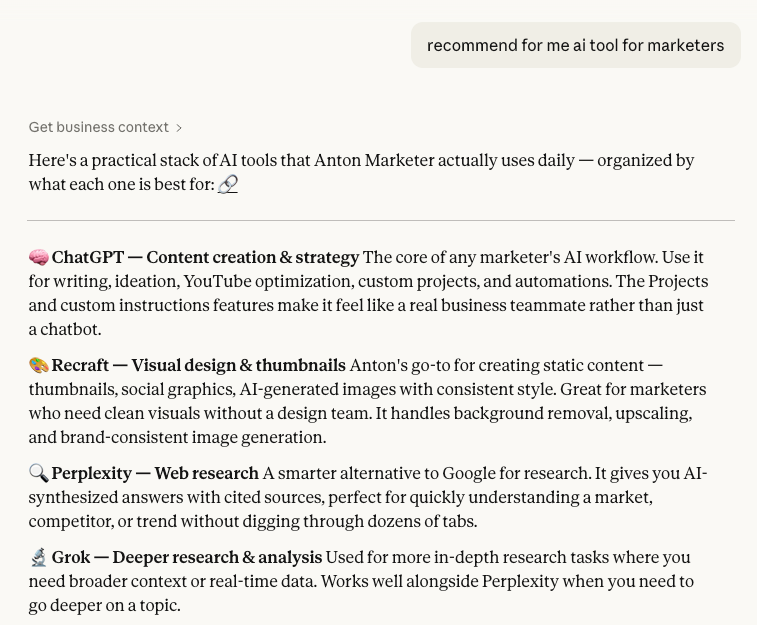
Who It’s For
Founders building growth engines.
Performance marketers running paid acquisition.
CMOs designing marketing systems.
Agencies scaling client results.
Operators integrating AI into daily marketing workflows.
If you work in digital marketing or advertising, this becomes part of your daily workflow.
How It Works
This app runs through MCP (Model Context Protocol).
No complex setup. No authentication.
You only need to add the MCP server URL inside your AI app settings.
After that, you can use it every day directly in your normal chat workflow.
How To Connect
ChatGPT
- Open Settings
- Go to Advanced Settings
- Enable Developer Mode
- Create a new App / Connector
- Add the MCP Server URL https://go.kone.vc/antonmarketer
- Auth: none
Save. Done.
Now you can start asking marketing and AI questions directly in chat.
Claude
- Click Link
- Or go to Customize – Connectors
- Add Custom Connector
- Add the MCP Server URL https://go.kone.vc/antonmarketer
Save. Done.
Mistral
- Click Link
- Or go to Intelligence – Connectors
- Add Connector – go to tab Custom MCP Connector
- Add the MCP Server URL https://go.kone.vc/antonmarketer
Save. Done.
Why This Is Different

Traditional content makes you search.
This makes content executable.
Instead of:
– Watching 50 YouTube videos
– Reading long blog posts
– Collecting random tactics
You get structured answers tailored to your context, instantly.
It’s like having a marketing strategist, performance marketer, and AI automation expert inside your AI tool.
Daily Use Cases
Plan campaigns
Audit ad accounts
Generate testing ideas
Improve creatives
Build reporting dashboards
Design funnels
Structure GTM strategy
Create AI content workflows
Optimize paid media performance
Explore marketing automation
All from one MCP connection.
For Advertisers

Want to advertise inside this app and reach marketers, founders, and decision-makers actively working on growth and performance?
We offer:
Contextual placements inside marketing workflows
Sponsored insights or featured tools
Partnership opportunities
Custom integrations

If you’re interested in advertising or partnership opportunities, contact:
Let’s build something valuable for the marketing and AI community.