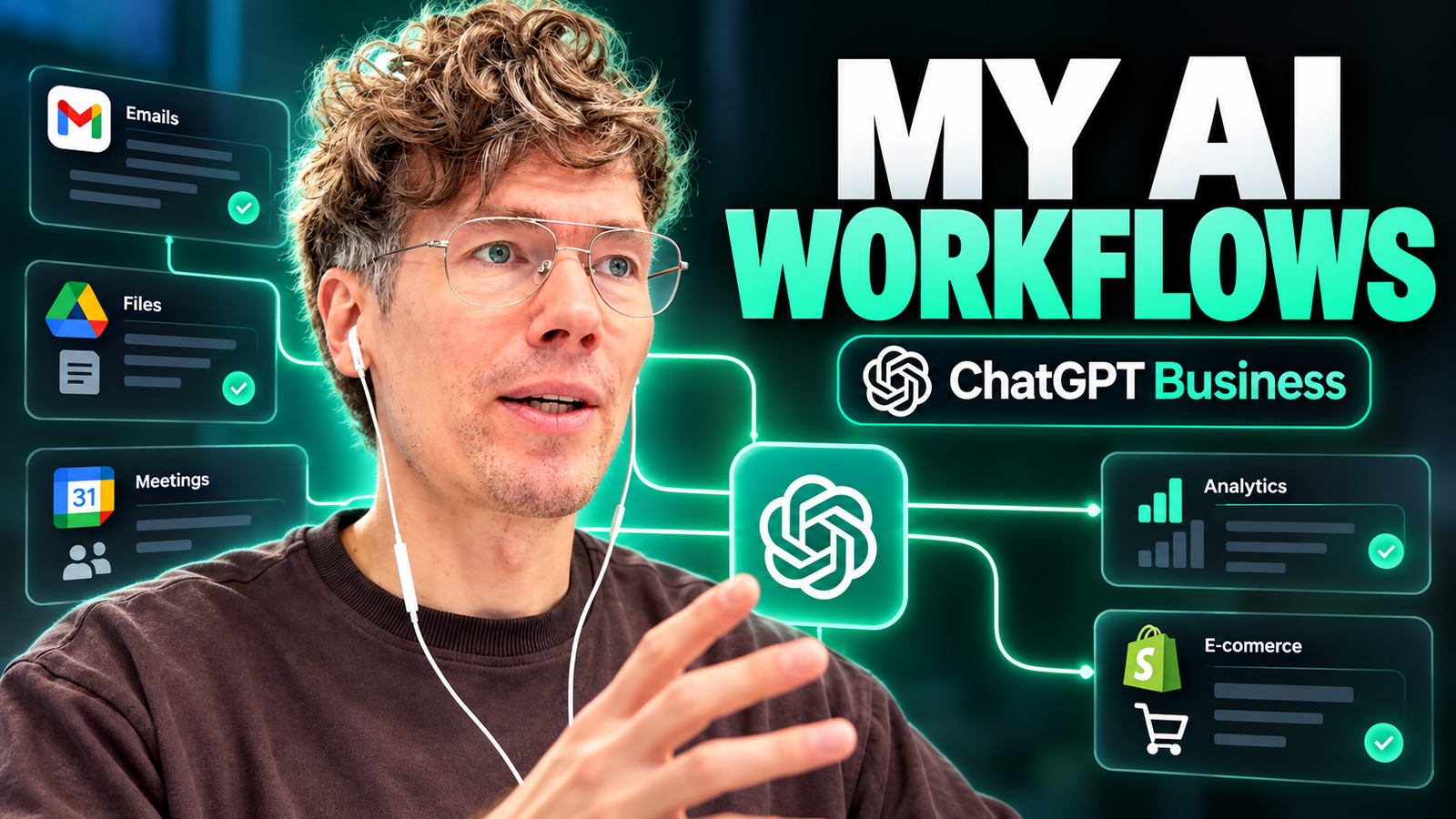
Can ChatGPT actually automate business processes? Yes. With the right integrations, AI agents, specialized skills, and human oversight, entrepreneurs can use ChatGPT to automate repetitive tasks, analyze company information, and improve everyday business operations.
I’m Anton Saburov, CEO and founder of KONE.VC, an OpenAI SMB Channel Partner. I have 15 years of experience in automation and have worked with more than 1,000 companies.
In this article, I’ll show you how I personally use ChatGPT Business to manage different aspects of my companies, from email and meetings to marketing, sales, pricing, and strategic partnerships.
These aren’t theoretical examples. They come from the workflows I demonstrate in my own ChatGPT account.
My core philosophy is simple:
AI should do the repetitive work, while entrepreneurs remain responsible for important decisions.
What Is ChatGPT for Business?
chatgpt for business means using AI to support everyday company operations, including communication, research, marketing, financial administration, reporting, and decision-making.
It can involve several different capabilities:
- ChatGPT Business: A collaborative AI workspace designed for organizations.
- Connected apps: Integrations that allow ChatGPT to work with authorized business tools and information.
- AI agents and scheduled tasks: Systems that carry out recurring analysis and workflows.
- ChatGPT Skills: Reusable instructions and capabilities tailored to specific responsibilities.
- ChatGPT Projects: Organized workspaces with relevant files, conversations, and instructions.
- MCP integrations: Connections that allow compatible external applications to exchange context and perform supported actions.
Rather than opening five apps and manually combining data, I use chatgpt for business to bring context into one workflow.
That doesn’t mean every process is fully autonomous. Some automations only provide recommendations, and some require explicit approval before taking action.
The value comes from reducing unnecessary manual work and helping people make decisions with better information.
1. Connect ChatGPT to Your Business Applications
The first step in my AI implementation process is connecting ChatGPT to the tools my business already uses.
For my own workflows, those tools include Gmail, Google Drive, Loom, Shopify, and specialized business integrations.
ChatGPT + Gmail
My email contains information about clients, partnerships, advertisers, invoices, and ongoing projects.
Instead of manually reviewing every message, I can ask ChatGPT to identify conversations that require attention.
For example:
Prompt:
“Review my recent business emails. Identify urgent conversations, partnership opportunities, overdue follow-ups, decisions I need to make, and any significant risks. Organize the findings by priority.”
The result is a more actionable view of my inbox.
For a founder managing several businesses, reducing the time required to identify important messages can be valuable.
ChatGPT + Google Drive
Google Drive contains business documents, reports, proposals, and other company information.
By connecting it to ChatGPT, I can find relevant documents and ask questions about their contents, subject to the permissions of the connection.
This is especially useful when I need context from multiple files.
For example, instead of manually opening old proposals, I can ask ChatGPT to locate materials relevant to a new business discussion.
My recommendation: Start with email and document retrieval before trying to automate more complicated business decisions.
2. Use AI Agents to Analyze Meetings and Priorities
One of my favorite business automations uses Loom.
I record business meetings and connect the meeting information to an AI workflow.
The system reviews relevant conversations and prepares a recurring summary containing:
- Today’s priorities
- Important tasks for the coming days
- Decisions requiring attention
- Business risks and blockers
- Useful follow-up actions
This gives me a clearer overview of what’s happening across meetings.
I don’t need to rely entirely on memory or review every recording manually.
How can AI automate meeting summaries?
AI can analyze meeting recordings or transcripts and extract action items, decisions, deadlines, and unresolved questions. When connected to a supported meeting tool, the analysis can become part of a repeatable workflow.
For my own process, I use Loom meeting context together with ChatGPT to create structured updates.
I find this especially useful for founders who regularly switch between several projects.
The most important part is not creating a generic meeting summary. It’s translating conversations into business priorities and decisions.
3. Create Specialized AI Assistants for Different Business Roles
I don’t use a single generic prompt for every business problem.
Instead, I organize AI capabilities around specific responsibilities.
Some of the specialized workflows I use include:
| AI role | Business responsibility |
|---|---|
| Advertising specialist | Review campaigns and performance |
| Sales manager | Help prepare responses to commercial inquiries |
| Partnership advisor | Evaluate collaboration opportunities |
| Marketing council | Analyze positioning and customer acquisition |
| Pricing strategist | Evaluate products and pricing opportunities |
| Content and SEO specialist | Research and optimize content |
| Operations assistant | Summarize priorities and recurring tasks |
These assistants don’t replace an entire department.
They help me organize information, analyze alternatives, and prepare work that I can evaluate.
Why use specialized AI skills?
A specialized AI skill gives a task a repeatable structure.
For example, a pricing skill can be instructed to consider margins, competitive positioning, customer segments, and potential pricing risks.
A partnership skill can evaluate strategic fit, commercial opportunity, responsibilities, and potential conflicts.
Compared with an unstructured chat, the advantage is consistency.
The AI follows the same general analytical approach each time, while still adapting to the information available.
4. ChatGPT + Shopify: AI for E-commerce Pricing
One of the most interesting use cases in my business involves our e-commerce brand.
Pricing is a difficult responsibility for entrepreneurs.
If prices are too low, a company may sacrifice profitability. If they’re too high, the company may reduce demand or weaken its competitive position.
I use ChatGPT with Shopify context and a specialized pricing strategy skill to evaluate these decisions.
What can AI analyze?
In the video, I demonstrate how the workflow considers:
- Existing product prices
- Sales quantities
- Competitor positioning
- Price differences
- Product presentation
- Opportunities for bundles
- Potential revenue under alternative pricing scenarios
For example, the system compares product prices with competitors and evaluates possible pricing improvements.
It also identifies an important consideration: sometimes improving product positioning and presentation should happen before increasing the price.
That’s the kind of feedback I want from an AI business advisor.
Can ChatGPT optimize Shopify prices?
ChatGPT can help analyze product information, compare pricing scenarios, and recommend experiments when connected to relevant business data.
However, a projected revenue increase is not proof that customers will accept a new price.
Before making pricing changes, I recommend checking margins, customer behavior, competitive positioning, and actual test results.
My approach is to use AI to improve the quality of the decision—not to let it make every decision automatically.
5. AI Marketing Advisors: Get Multiple Perspectives on Growth
Another workflow I use is a virtual marketing council.
Entrepreneurs often become too focused on their own assumptions.
We know our products and companies so well that it can become difficult to recognize problems with positioning, offers, or acquisition channels.
My marketing council helps evaluate those questions from different strategic perspectives.
For our e-commerce business, I demonstrated an analysis covering:
- Customer acquisition
- Product positioning
- Founder-led marketing
- Creator partnerships
- Professional customer segments
- Sampling and introductory offers
- Google Search
- Meta advertising
- Growth planning
The workflow generated recommendations for customer acquisition and a 90-day planning scenario.
This provides a structured starting point for further discussion.
Can AI create a marketing strategy?
AI can analyze available business context, organize customer acquisition options, assess positioning, and propose marketing experiments.
A useful AI-generated marketing strategy should connect the target customer, offer, acquisition channel, budget, and measurable business goal.
But the strategy still requires validation through real campaigns and customer feedback.
I use these recommendations as additional perspectives, not as guaranteed predictions.
6. Turn Business Meetings into Strategic Partnership Analysis
Business development isn’t only about finding new contacts.
It’s about understanding whether a potential relationship can create meaningful value for both companies.
I use my partnership advisor skill with context from recorded business meetings.
In one example, I analyzed a discussion about possible collaboration involving accounting, automation, and enterprise opportunities.
The AI reviewed the conversation and suggested possible partnership directions.
It also highlighted risks, including questions about repeatable business models and contribution structures.
This is particularly useful because entrepreneurs can become focused on the immediate opportunity and overlook potential long-term issues.
How can AI help evaluate business partnerships?
AI can organize meeting context, identify strategic opportunities, highlight unresolved commercial questions, and compare potential collaboration structures.
It can help founders prepare better questions before committing to an agreement.
However, AI analysis should not replace legal, financial, or commercial due diligence.
I use it to broaden my perspective before deciding what to pursue.
7. Use ChatGPT Projects as a Business Knowledge Workspace
One practical feature I recommend to entrepreneurs is ChatGPT Projects.
Projects make it easier to organize related conversations, files, and instructions.
For example, I use a project that combines advertiser context, video information, and search visibility research.
Instead of repeatedly explaining the same background, I can work within a structured context.
I also use specialized skills to help create project instructions.
Why do Projects matter for business automation?
Many AI results are disappointing because the system doesn’t have enough relevant context.
A generic prompt such as “improve my marketing” may produce generic recommendations.
A project containing business goals, customer information, current campaigns, relevant documents, and clear instructions provides a more useful starting point.
Better business context often matters as much as choosing the right AI model.
8. Use ChatGPT to Build Internal Business Tools
ChatGPT isn’t limited to answering questions.
In another demonstration, I asked it to create a simple HTML website using information from a Loom meeting.
The AI used the meeting context to generate a structured page presenting business information and follow-up priorities.
I could then review the HTML and prepare it for hosting.
This is a practical example of how AI-assisted development can help entrepreneurs create internal tools and prototypes.
Not every useful business application requires a complicated software development project.
Sometimes a simple dashboard, reporting page, or internal reference tool solves the problem.
Of course, generated code should still be reviewed and tested before production use.
9. Can ChatGPT Run Parts of a Business Automatically?
Yes, ChatGPT can support recurring business operations when it has appropriate tools, permissions, and automation capabilities.
In my workflows, I use scheduled tasks and AI agents to help with:
- Advertising performance reviews
- Important email summaries
- Business meeting analysis
- Daily operational priorities
- Research and reporting
- Administrative information collection
These workflows can reduce the amount of repetitive work I need to perform manually.
But there’s an important limitation.
I don’t recommend automating every business decision without supervision.
Why human-in-the-loop automation matters
Human-in-the-loop automation means an AI system prepares information, recommendations, or proposed actions, while a person reviews sensitive or high-impact decisions.
For example:
- AI collects relevant business information.
- AI analyzes the information and prepares recommendations.
- The founder or responsible employee reviews the results.
- Approved actions are completed.
- The outcome is measured and the workflow is improved.
This approach is particularly important for pricing, financial processes, customer communications, and strategic business decisions.
The founder remains accountable for the company, even when AI assists with the work.
10. How to Start Automating Your Business with AI
If you’re an entrepreneur who wants to implement AI, I recommend starting with a manageable process.
Step 1: Identify repetitive work
Look for tasks that happen every day or every week.
Examples include meeting summaries, email prioritization, reports, research, and customer information collection.
Step 2: Connect the necessary applications
Start with the business systems you already use.
For many companies, email, document storage, and customer management systems contain valuable operational context.
Review access permissions before connecting sensitive data.
Step 3: Create a repeatable workflow
Define the input, the expected output, and the person responsible for reviewing the result.
For example:
“Every morning, review recent campaign information and prepare a prioritized summary of significant changes, risks, and recommended next steps.”
Step 4: Test the output
Compare AI results against the underlying data.
Check whether the automation captures important information, misses relevant context, or creates unnecessary work.
Step 5: Measure the business impact
Useful metrics include:
- Time spent per task
- Frequency of manual corrections
- Number of missed follow-ups
- Quality and timeliness of reports
- Operating costs
- Revenue or conversion outcomes, where measurable
Step 6: Expand gradually
Once a workflow is reliable, consider introducing it to additional departments or connecting more business systems.
Avoid trying to automate the entire company on the first day.
Frequently Asked Questions About ChatGPT for Business
What are the best ChatGPT use cases for entrepreneurs?
The most useful ChatGPT business applications often involve repetitive, information-heavy work. Examples include email analysis, meeting summaries, marketing research, sales preparation, pricing analysis, and management reporting. Start with tasks that have clear inputs and measurable outputs, then expand into more advanced workflows as you establish reliability.
Can small businesses automate workflows without coding?
Yes. Small businesses can automate some workflows with ChatGPT, scheduled tasks, reusable skills, and supported app connections. More sophisticated processes may require additional software, custom integrations, or development work. A practical first project is a recurring report that reads authorized information and summarizes what needs attention.
What’s the difference between ChatGPT Business and ChatGPT Plus?
ChatGPT Plus is primarily an individual subscription, while ChatGPT Business is designed for organizations that need a shared workspace and business administration capabilities. Available integrations, features, and permissions can vary over time. Companies should review current plan documentation before choosing a subscription or designing an implementation.
How can I connect ChatGPT to business data?
You can use supported ChatGPT apps, authorized integrations, and compatible MCP connections to work with external business systems. Start by identifying where the information is stored, what permissions are required, and whether the integration supports the actions you need. Test data access and security before deploying a workflow to employees.
Can ChatGPT replace business software?
ChatGPT can provide a conversational interface for analyzing information and performing supported actions across connected applications. It can also help build lightweight internal tools. However, most companies will still need specialized systems for accounting, CRM, e-commerce, payments, and other operational functions. AI often works best as a layer connecting those systems.
How much can AI automation save a business?
The savings depend on the workflow, implementation cost, error rate, and amount of human supervision required. To estimate value, measure the time spent on a task before automation, compare it with the time spent afterward, and include software and maintenance costs. Revenue improvements should be measured through real outcomes rather than assumed from projections.
What is the biggest mistake entrepreneurs make with AI automation?
One major mistake is trying to automate everything immediately, including decisions that require human judgment. Start with a limited workflow, test its reliability, define approval requirements, and monitor outcomes. Automation should reduce operational friction without removing accountability for financial, legal, customer, or strategic decisions.
Conclusion: AI Should Help Entrepreneurs Build Better Businesses
In my experience, the most valuable use of ChatGPT isn’t generating more content or asking more questions.
It’s creating repeatable systems that make everyday business operations more efficient.
By connecting ChatGPT to business applications, creating specialized skills, organizing Projects, and building recurring workflows, entrepreneurs can spend less effort gathering information and more time evaluating opportunities and making decisions.
The goal is not a business without people.
The goal is a business where people have better tools, better information, and more time for work that matters.
Want to implement ChatGPT Business and AI automation in your company?
At KONE.VC, we help businesses evaluate AI opportunities, connect their systems, and implement practical workflows.
Book an AI consulting session:
https://cal.com/konevc/consulting
Explore KONE.VC:
https://kone.vc
Access AI courses, implementation guides, and ChatGPT Business referral offers:
https://app.kone.vc
Connect with Anton Saburov on LinkedIn:
https://linkedin.com/in/asaburov
About the Author
Anton Saburov is the CEO and founder of KONE.VC, an OpenAI SMB Channel Partner focused on practical AI adoption and business automation.
Anton is an OpenAI-certified specialist with 15 years of automation experience and experience working with more than 1,000 companies.
He shares real-world examples of ChatGPT Business, AI agents, connected applications, and automation workflows for founders and business owners.
Editorial note: Product capabilities and subscription terms may change. Verify current ChatGPT availability, integrations, and pricing before implementation.