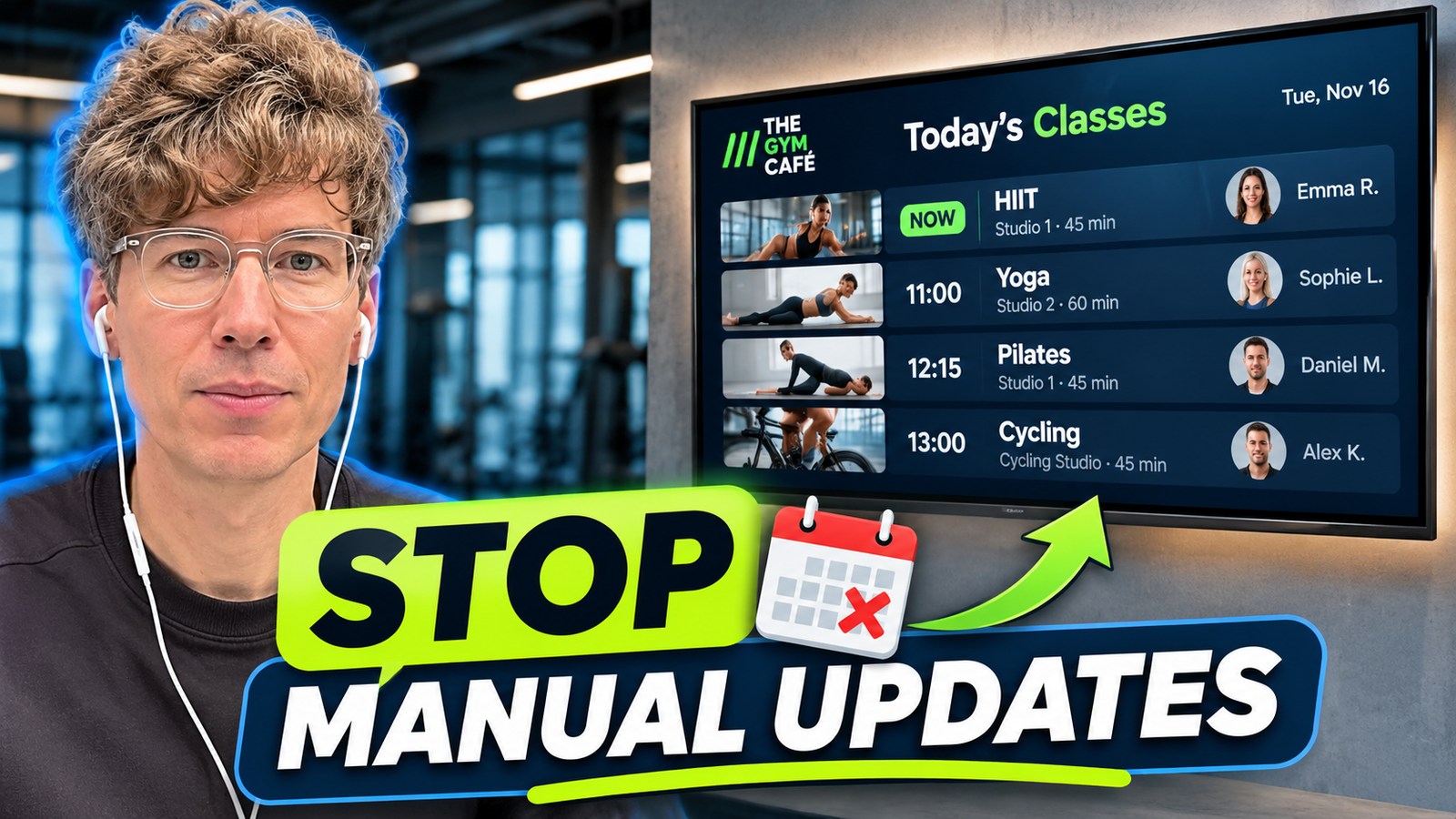
Live gym class schedules on TV let members see what’s happening now, which class starts next and who is teaching—without staff reprinting timetables or replacing an image every time something changes. The key is to connect a suitable digital signage widget to the club’s existing gym management or booking system, rather than treating a TV as a giant spreadsheet.
Watch my latest video: Gym Automation with Liqvid: Display Live Class Schedules on TV. For the live product information and custom integration options, visit Liqvid for Fitness.
Why manual gym class schedules become outdated
A fitness club’s operational system may already know about instructor substitutions, class cancellations, room changes and personal-training availability. Yet the information displayed in the building may still depend on printed posters, exported PDFs, Excel spreadsheets or manually uploaded TV graphics. Updating those materials adds work and creates a risk that the screen shows a schedule that no longer matches the booking system.
Putting a spreadsheet or website page on a television may be quick, but such layouts can be crowded and hard to read from a distance. A class schedule display should be legible, visually branded and easy to scan.
How does a live class schedule display work?
The gym’s scheduling platform remains the source of truth. A supported integration or API connection makes the relevant data available to a digital signage schedule widget, which formats it for TVs. Depending on the widget and data source, the display can show the current session, next session, instructor names, photos, room and times. When the source schedule changes, the connected display can refresh without replacing an image by hand. Update latency depends on the integration and should be tested.
Which schedules can a gym put on TV?
| Screen location | Recommended schedule |
|---|---|
| Reception | Whole-club group-class timetable |
| Cycling studio entrance | Cycling classes only |
| Personal-training area | PT sessions and trainer information |
| Dedicated studio | Current and upcoming classes for that room |
| Racket-sports venue | Court scheduling where a supported integration is configured |
The important design decision is relevance: the whole-club timetable is useful at reception, while members outside a cycling studio primarily need cycling information.
Customize the class schedule to match your gym branding
Liqvid’s fitness materials describe customizable schedule widgets with branded layouts, current and upcoming classes and trainer photos. Use the club’s visual identity—logo, approved colors, legible type and consistent trainer photography—rather than a generic spreadsheet appearance. Place the most important status near the top and avoid shrinking an entire week’s timetable into unreadable text.
Gym management software, APIs and integrations
In this workflow Liqvid does not replace the gym’s booking platform; it presents the relevant information to members on screens. The client materials discuss connections to conventional gym management systems and specialized tools such as Playtomic for racket sports and CicloStudio for cycling, alongside spreadsheet-based workflows with Google Sheets and Excel. Availability and configuration vary. Do not assume that any CRM, ERP or gym software will connect automatically: custom integration feasibility depends on access to usable data and APIs. Liqvid’s fitness page directs clubs to sales for an integration assessment.
What happens when a class time changes?
Imagine a yoga class moving from 6 PM to 7 PM. Instead of updating a new poster, the employee changes the class time in the existing booking system. When the supported integration processes the update, the live TV widget reflects the new schedule. The exact delay is implementation-specific, so demonstrate a real end-to-end change rather than promise a fixed synchronization time without testing.
One club, several screens—or several clubs, different schedules
A fitness chain needs local accuracy as well as central control. Each venue can display its own class data, while a single club can assign a whole-club timetable to reception, cycling classes to the studio entrance and personal training sessions to a coaching area. Liqvid’s screen management tools also support centralized oversight of distributed screens. The operational takeaway is simple: update relevant data at its source and manage where the different displays appear from a central system.
Why schedules can be a sales tool
Schedules are not just an administrative necessity. A member who sees an upcoming class or trainer profile while already at the gym may decide to book another session. According to Liqvid’s IceBox Fitness customer materials, the club rolled out 30+ screens and reported 20% higher personal training sales and 30% more class bookings. These figures are customer-reported outcomes, not evidence that the schedule widget alone caused the uplift or a forecast for other clubs. See the IceBox video case.
Frequently asked questions about live gym schedules
How can I display a gym class schedule on a TV?
Install compatible digital signage software on the TV or a supported external player, pair the screen, configure a schedule widget and connect an appropriate data source. Test that class times and instructor changes are displayed correctly.
Can gym class schedules update automatically?
Yes, if the booking system is connected to a supported data source or API integration. Refresh behavior and latency depend on the implementation.
Can I display different schedules on two TVs?
Yes. One screen can display the whole club’s schedule while another shows only cycling classes or a specific studio. Verify the assignment and on-screen appearance for each physical location.
Can Liqvid connect to Mindbody, Playtomic or my gym CRM?
Integration support should be checked system by system. The video discusses API connections and examples such as Playtomic and CicloStudio; Liqvid can evaluate other systems when usable APIs are available. Confirm the current integration list before promising compatibility.
Can I use Excel or Google Sheets as a source?
Spreadsheet-based workflows are among the options described by Liqvid. They may be useful for smaller clubs, but the exact workflow and how frequently screens update depend on the implementation.
Explore the complete gym digital signage series
New to digital signage? Start with Digital Signage for Gyms: Setup Guide and the full setup video. For commercial campaign ideas, see 7 Gym Marketing Ideas and the marketing video.
Find the related discussion on X and Threads. Official features and customer examples: liqvid.io/fitness.
By Anton Saburov · November 18, 2026 · Video published November 18, 2026. Feature availability and integration latency depend on current product implementation.