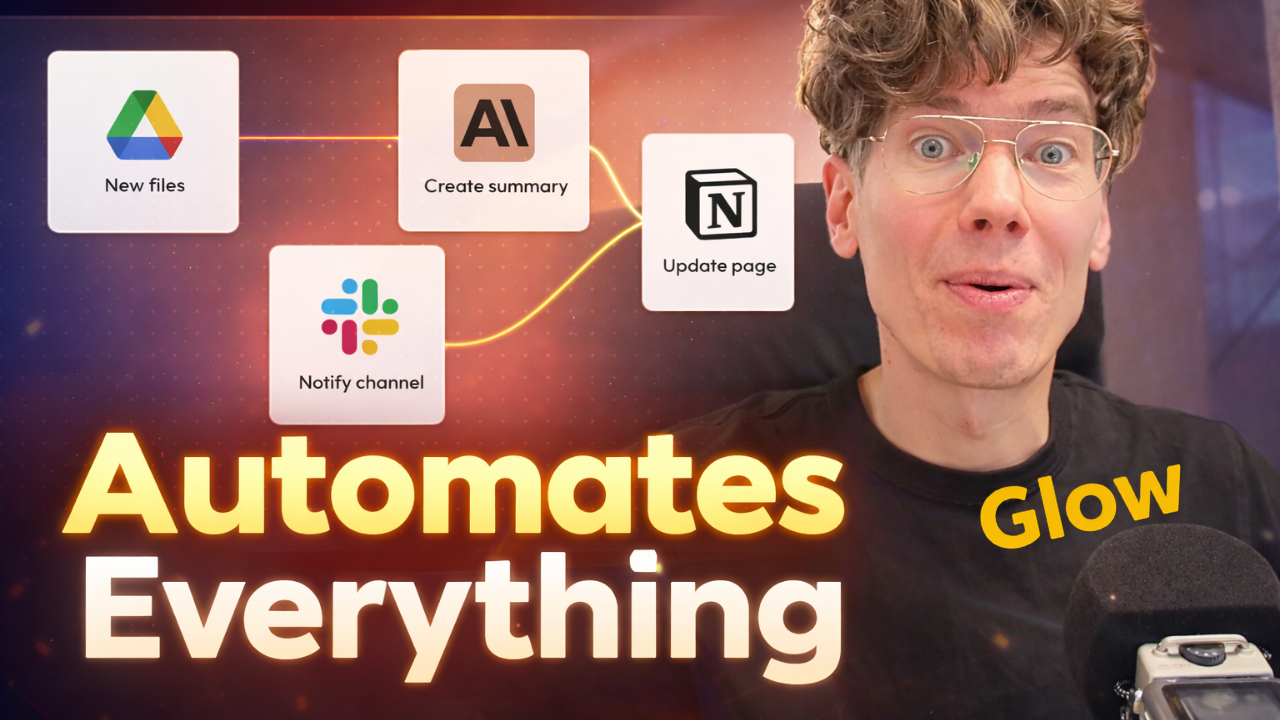
In today’s fast-moving digital world, AI automation is no longer a luxury—it’s a necessity. Marketers, entrepreneurs, and creators are constantly searching for smarter ways to save time, increase productivity, and streamline workflows. That’s exactly where Glow enters the picture.
In a recent hands-on demonstration, digital marketing expert Anton Saburov explored Glow a powerful new AI automation platform designed to make workflow automation simple—even for non-technical users.
Let’s break down what getglow.ai offers, how it works, and why it may be one of the most exciting no-code automation tools available today.
🌟 What Is Glow?
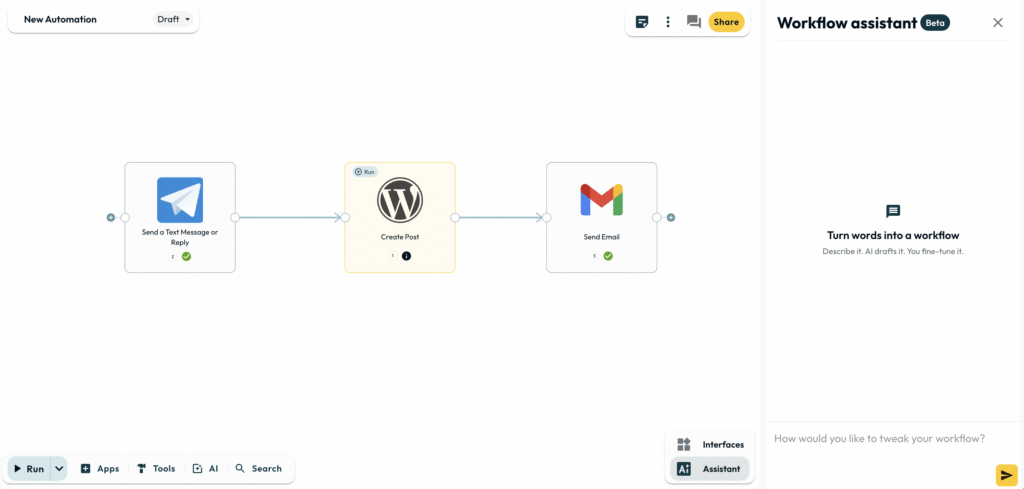
Glow AI is an AI-powered workflow automation platform that allows users to create automation simply by chatting with an AI assistant. Think of it as a next-generation alternative to tools like Zapier and Make.com—but with AI at its core.
Instead of manually building automation flows step by step, glow.ai lets you:
- Describe what you want in plain language
- Automatically generate a workflow
- Connect your accounts
- Switch from draft to live mode
And just like that—automation is running.
As Anton puts it:
“It’s like magic because I write and it automates.”
2700+ Integrations for Ultimate Flexibility
One of the standout features of glow.ai is its 2700+ integrations. That means you can connect nearly any popular app you’re already using.
Some highlighted integrations include:
- Google Sheets
- Gmail
- Telegram
- WordPress
- Email platforms
- CRM systems
- Marketing tools
Whether you’re running marketing campaigns, managing leads, publishing content, or conducting research, getglow.ai provides a wide ecosystem for automation.
According to Anton:
“2700 integrations inside for all your tasks.”
That kind of versatility opens serious possibilities.
How Glow Makes Workflow Automation Simple
1️⃣ Chat-Based Workflow Creation
Traditional automation tools can feel technical. You often need to understand triggers, actions, conditions, and data mapping.
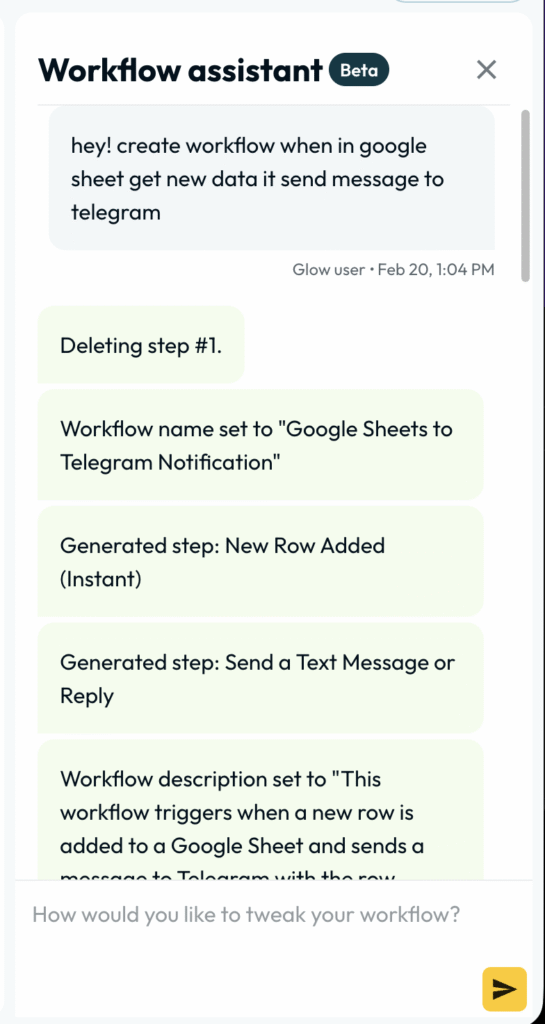
With glow.ai, you simply type something like:
“Connect new Google Sheets entries and send notifications via Telegram.”
The AI assistant builds the workflow for you.
If you later decide to switch notifications from Telegram to email? No problem. Just tell the assistant—and it updates the workflow instantly.
No coding.
No complex mapping.
No technical frustration.
2️⃣ Switching from Draft to Live Mode
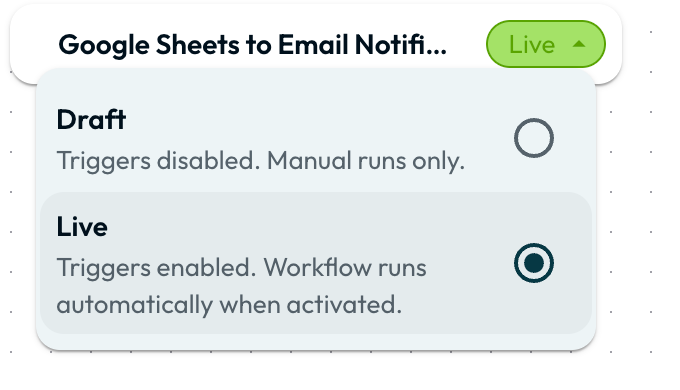
Once the automation is created, you:
- Link your accounts
- Confirm settings
- Switch from draft to live
That’s it.
Anton demonstrated this live:
- He added new data to Google Sheets.
- glow.ai detected the change.
- The system automatically sent an email notification.
- The notification appeared instantly on his phone.
No errors. No delays. Just seamless automation.
📊 Real Marketing Use Cases
Glow isn’t just a toy—it’s built for real business applications.
Here are a few powerful examples:
📈 Marketing Automation
- Auto-publish Telegram messages to WordPress
- Create social media content workflows
- Send email notifications for campaign updates
- Sync leads from forms to Google Sheets
💼 Sales Processes
- Notify sales teams about new prospects
- Automatically log customer data
- Send follow-up emails
🔍 Research & Productivity
- Collect data from multiple sources
- Organize insights in spreadsheets
- Send summaries via email
Anton even suggested building workflows connecting Telegram with AI tools like ChatGPT to generate automated content ideas.
The possibilities? Nearly endless.
🧠 Why Glow Is Perfect for Non-Technical Users
The biggest barrier to automation has always been complexity.
Many small business owners and marketers want automation—but they don’t want to:
- Learn coding
- Understand APIs
- Configure advanced triggers
Glow removes that barrier.
Anton, with 16 years of marketing experience and deep familiarity with tools like Zapier and Make.com, said glow looks “amazing” and is highly recommended—especially for those already familiar with traditional automation platforms.
The difference? Glow feels intuitive.
You imagine.
You describe.
It builds.
Telegram to WordPress Automation Example
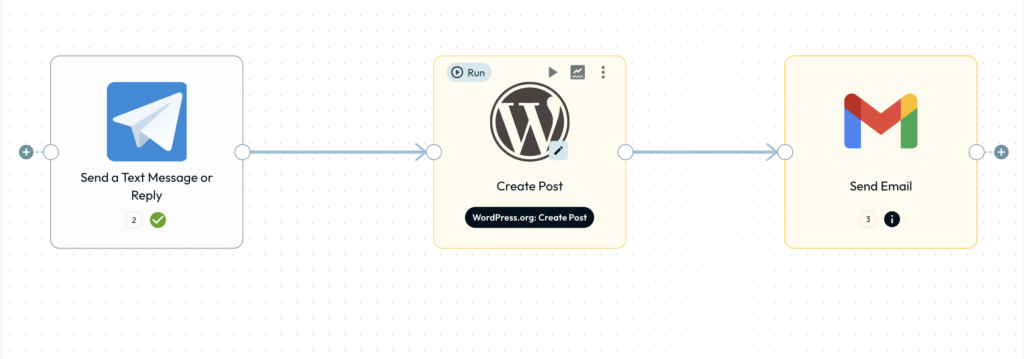
Here’s a creative scenario Anton explored:
- Write a message in Telegram.
- The system detects the message.
- glow.ai creates a WordPress post automatically.
- The system sends confirmation via email.
That entire flow takes seconds to configure.
And the only real limitation?
Your imagination.
Where to Learn More
You can explore the platform directly at:
👉 http://getglow.ai/
👉 https://www.linkedin.com/company/getglow-ai/
❓ Frequently Asked Questions (FAQ)
1️⃣ What is Glow used for?
Glow.ai is used for AI automation and workflow automation across 2700+ apps. It helps automate marketing, sales, productivity, and research tasks without coding.
2️⃣ Is Glow suitable for beginners?
Yes. It’s specifically designed for non-technical users. You create workflows simply by chatting with an AI assistant.
3️⃣ How is Glow different from Zapier?
Unlike Zapier, glow.ai focuses heavily on AI-assisted workflow creation. Instead of manually building flows, you describe what you need, and the AI builds it.
4️⃣ Can Glow automate social media tasks?
Yes. It supports platforms like Telegram and WordPress, allowing users to automate content creation and publishing workflows.
5️⃣ Does Glow support email automation?
Absolutely. You can send notifications, follow-ups, confirmations, and updates through email integrations.
6️⃣ Is getglow.ai good for marketers?
Yes. Marketers can automate outreach, lead management, content distribution, research, and reporting tasks.
🎯 Final Thoughts: Is getglow.ai Worth Trying?
Based on Anton Saburov’s real-world demonstration and experience, glow.ai stands out as a next-generation AI automation platform.
It combines:
- AI workflow building
- 2700+ integrations
- No-code simplicity
- Real marketing use cases
- Seamless draft-to-live deployment
If you’ve used tools like Zapier or Make.com before, glow.ai will feel familiar—but more intuitive and AI-driven.
And if you’re new to automation?
This might be the easiest entry point available today.
As Anton says:
“Get glow.ai, super interesting tool.”
Sometimes technology feels complicated. But when it feels like magic? That’s when you know it’s powerful.
Anton Marketer
https://linkedin.com/in/asaburov
https://x.com/saburovanton