Finding new clients is one of the most time-consuming parts of running a freelance business, agency, or B2B company. You need to research potential customers, identify decision-makers, evaluate opportunities, write proposals, and follow up.
ChatGPT can help automate much of this process.
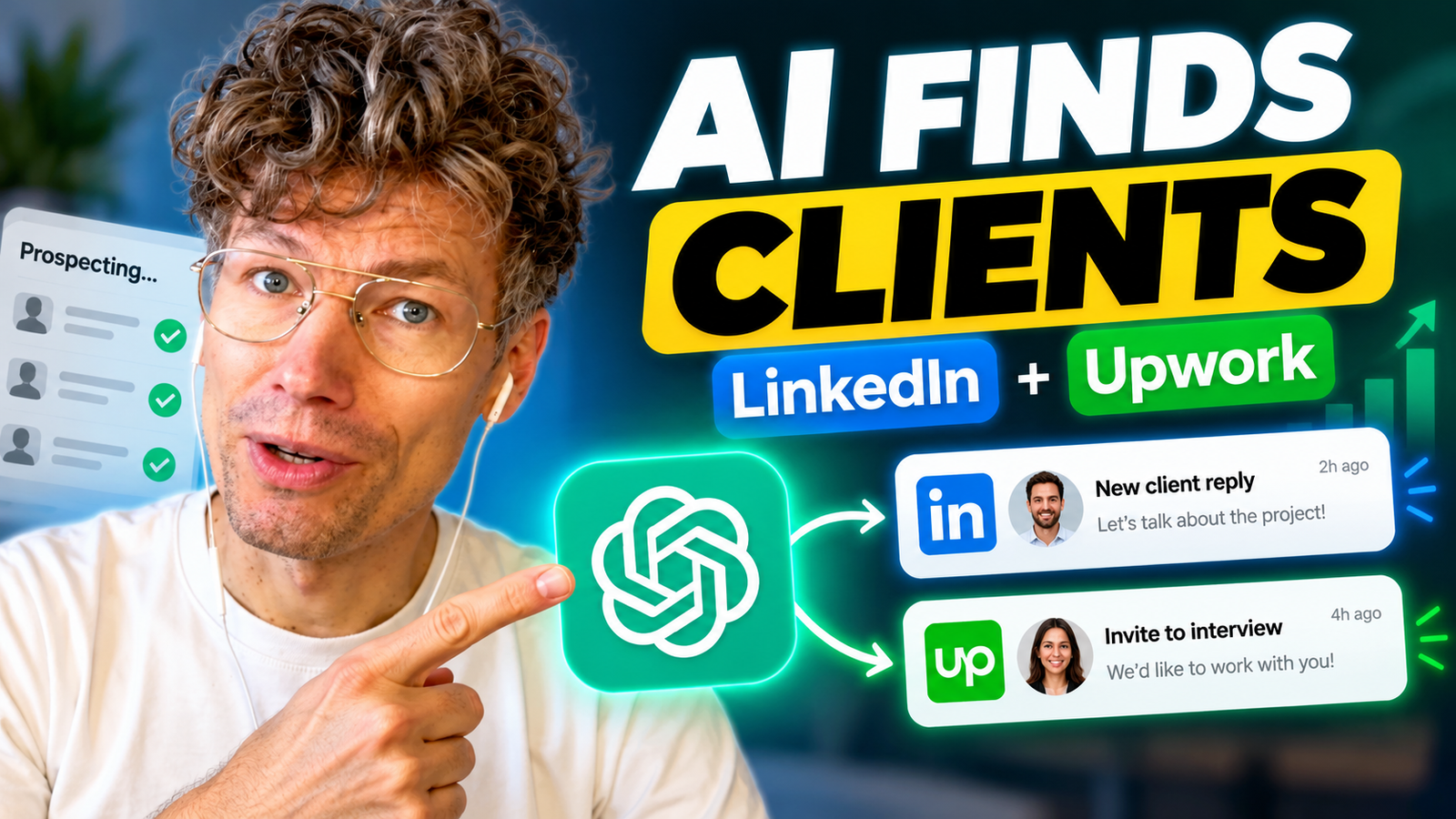
Instead of manually searching for prospects across multiple platforms, you can use ChatGPT Business and supported integrations to research opportunities, qualify leads, prepare personalized outreach, and schedule recurring prospecting activities.
In this guide, I’ll walk through two practical workflows I demonstrated using ChatGPT:
- Finding freelance projects and preparing proposals on Upwork.
- Identifying B2B companies and decision-makers through LinkedIn.
I’ll also explain how to turn these workflows into a repeatable AI-powered client acquisition system.
Watch the full video tutorial:
How to Find Clients with ChatGPT (LinkedIn + Upwork)
Can ChatGPT Find Clients for Your Business?
Yes. ChatGPT can help businesses find potential clients by researching companies, identifying relevant opportunities, analyzing prospect information, and drafting personalized messages. With supported integrations, it can also work with information from services such as LinkedIn and Upwork. The most effective approach combines AI-powered research with human verification and relationship building.
This is particularly useful for:
- Freelancers looking for new Upwork projects.
- Marketing agencies seeking B2B customers.
- SaaS founders researching potential buyers.
- Consultants identifying companies that need their services.
- Sales teams preparing personalized outreach.
- Content creators looking for advertisers and sponsorships.
The important distinction is that finding prospects is not the same as acquiring paying customers.
ChatGPT can help you identify opportunities and prepare communication. You still need a compelling offer, relevant experience, and a process for converting interest into revenue.
1. How to Find Freelance Clients on Upwork Using ChatGPT
Upwork is a freelance marketplace where businesses publish projects and freelancers compete to win contracts.
One major challenge is finding the right opportunities.
Freelancers often spend hours scrolling through job listings, comparing requirements, evaluating client credibility, and writing proposals.
AI can reduce this repetitive work.
Step 1: Connect Upwork to ChatGPT
Start with ChatGPT and find the available Upwork integration in your account’s app or plugin directory.
Once the integration is enabled and any required permissions are granted, you can ask ChatGPT to help you research your Upwork account and discover relevant projects.
The exact capabilities depend on the integration, account permissions, and workspace settings.
In my demonstration, I used an Upwork integration directly inside ChatGPT Business without building a separate automation through Zapier or Make.
Step 2: Analyze Your Upwork Profile with AI
Before applying for new jobs, make sure your freelancer profile communicates your expertise clearly.
In the video, I asked ChatGPT to assess my Upwork profile.
The integration returned an overall assessment of 72 out of 100.
It also reviewed several areas:
- Profile visibility.
- Identity verification.
- Professional title and positioning.
- Profile overview.
- Case studies.
- Portfolio quality.
- Certifications.
- Current workload.
The analysis showed areas where my profile could be improved, particularly around portfolio content and supporting credentials.
This type of AI-assisted review can help freelancers identify missing information before spending time and money applying for projects.
The 72/100 score was specific to the tool’s assessment in my demonstration, not an official universal Upwork ranking.
Step 3: Find Relevant Upwork Jobs Automatically
Next, I used ChatGPT to find freelance jobs matching my expertise in AI automation.
Instead of manually searching across hundreds of listings, I asked the integration to identify opportunities relevant to my profile.
One recommended project received a 94/100 match score.
The result included the job description, relevant requirements, and an indication that applying would require 28 Upwork Connects.
I could also inspect potential concerns, including client payment information, contract history, and availability requirements.
This allowed me to evaluate an opportunity before opening multiple browser tabs.
Example prompt:
Find the 10 most relevant Upwork jobs for my freelancer profile. Focus on AI automation, ChatGPT integrations, and business process automation. Rank each opportunity by relevance, explain potential risks, and identify the top three jobs worth applying for.
Step 4: Generate Personalized Upwork Proposals with ChatGPT
Finding an attractive project is only the first step.
The next challenge is writing a proposal that communicates why you’re the right person for the job.
In my demonstration, ChatGPT used the job requirements and my profile information to prepare proposals for selected opportunities.
A useful AI-generated Upwork proposal should:
- Address the client’s actual problem.
- Explain your relevant experience.
- Demonstrate an understanding of the project.
- Suggest a realistic next step.
- Avoid generic language and unsupported claims.
Example prompt:
Draft a personalized Upwork proposal for this job. Use my actual portfolio and professional experience. Explain how I would approach the client’s problem, keep the introduction concise, and end with one relevant question. Do not invent credentials or project results.
You can review the generated text, make adjustments, and use the available integration actions to complete the application process.
Always verify the final proposal before submission.
Step 5: Automate Upwork Job Searches with Scheduled Tasks
One of the most useful opportunities is recurring job discovery.
Instead of checking Upwork manually throughout the day, you can configure a scheduled task that looks for new opportunities and summarizes relevant results.
Example scheduled task:
Check for new Upwork projects relevant to my AI automation and ChatGPT consulting experience. Prioritize jobs that match my portfolio, have clear budgets, and show credible client activity. Return the five strongest opportunities with job links, match explanations, and suggested proposal angles. Exclude projects already reviewed.
A recurring workflow can help you discover opportunities consistently.
However, automation support varies by account and connected app. Scheduling a search does not automatically mean proposals will be submitted or clients contacted without additional authorization.
2. How to Find B2B Clients on LinkedIn Using ChatGPT
Upwork is useful when companies are actively publishing freelance opportunities.
But what if you want to find customers who haven’t posted a job?
That’s where B2B prospect research becomes valuable.
LinkedIn can help you identify relevant businesses and the people responsible for purchasing decisions.
In my video, I demonstrated a real prospecting workflow for finding potential advertisers for my podcast and media activities.
Step 1: Define Your Ideal Customer Profile
Before asking ChatGPT to find prospects, define what makes a company relevant.
For example, my goal was to identify potential advertisers that could benefit from reaching my business, marketing, and technology audience.
A useful ideal customer profile (ICP) includes:
- Target industry.
- Company size and geography.
- Products or services.
- Target decision-maker.
- Business problems your offer solves.
- Reasons the company might be interested.
Example prompt:
Act as a B2B prospect research analyst. Identify 50 companies that could be relevant advertisers for my business and technology media platform, KONE.club. For each company, explain its relevance, audience fit, potential sponsorship angle, and suggested decision-maker. Separate verified facts from assumptions.
This provides a more useful starting point than simply requesting a list of random companies.
Step 2: Research and Qualify Potential B2B Clients
In my demonstration, ChatGPT researched a list of companies that might be relevant advertisers.
The output included company names, websites, potential contacts, and suggested outreach approaches.
I also reviewed fit assessments that helped prioritize companies for further research.
Eventually, the research produced approximately 50 potential companies.
A useful principle: a shorter list of well-matched companies is more valuable than hundreds of unrelated contacts.
You can prioritize prospects based on:
| Qualification factor | What to investigate |
|---|---|
| Industry fit | Does the company sell to your target audience? |
| Business relevance | Does it have a problem your service can solve? |
| Decision-maker | Can you identify someone responsible for this area? |
| Outreach angle | Is there a specific reason to contact the company? |
| Commercial potential | Could the relationship support a viable deal? |
These criteria help turn prospect research into a practical sales pipeline.
Step 3: Find Decision-Makers on LinkedIn
Once I had a list of potential advertisers, I wanted to identify the right people to contact.
For my use case, these were primarily chief marketing officers (CMOs) and other marketing decision-makers.
I asked ChatGPT to use the LinkedIn integration to research relevant professional profiles.
In the demonstration, the integration returned names, professional titles, and LinkedIn profile information for contacts associated with my target companies.
The process took approximately 55 seconds in that example.
This doesn’t establish a guaranteed speed for other searches, but it demonstrates the potential efficiency of using AI for structured prospect research.
Example prompt:
For the companies on my prospect list, find relevant marketing decision-makers using the available LinkedIn integration. Prioritize CMOs, VPs of Marketing, and Heads of Partnerships. Return their names, current positions, company names, and LinkedIn profile URLs. Flag uncertain or unverified matches.
Step 4: Write Personalized LinkedIn Outreach with ChatGPT
Finding a decision-maker does not mean they’ll respond.
A strong first message needs to demonstrate relevance.
In my example, I asked ChatGPT to draft an introduction for a potential advertiser.
The message focused on opening a conversation rather than immediately discussing pricing.
For first-contact outreach, I generally prefer:
- A short, relevant introduction.
- A specific reason for contacting the person.
- A clear potential benefit.
- A simple invitation to continue the discussion.
Example LinkedIn outreach message:
Hi [First Name],
I came across [Company] while researching businesses that could be relevant partners for our business and technology media audience.
I’m exploring potential collaborations with companies that want to reach founders, marketers, and decision-makers.
Would you be open to a short conversation about possible partnership opportunities?
This is a starting template. It should be personalized with verified details about the recipient and the proposed collaboration.
Step 5: Turn LinkedIn Research into Real Conversations
In the video, I showed an example of outreach that received a positive response from a potential advertiser.
The conversation continued after the initial contact.
This is an important distinction.
The objective of AI-powered lead generation is not to generate the largest possible list of names. It’s to create more relevant business conversations.
AI helps with prospect discovery and preparation.
Human communication, trust, and offer quality still determine whether those opportunities become customers.
3. LinkedIn vs. Upwork: Which Is Better for Finding Clients?
LinkedIn and Upwork support different types of client acquisition.
| Factor | Upwork | |
|---|---|---|
| Primary use | Freelance project discovery | Professional B2B networking |
| Buyer intent | Often explicit project requirements | Depends on prospect research |
| Sales approach | Job applications and proposals | Targeted outreach and relationship building |
| Best for | Freelancers, specialists, project-based agencies | Agencies, consultants, SaaS, B2B services |
| AI opportunity | Job matching and proposal preparation | Company research and contact discovery |
| Main challenge | Competition and application costs | Finding relevant prospects and generating replies |
Which platform should you choose?
If your business depends on winning clearly defined freelance projects, Upwork may provide a more direct route to active buyers.
If you sell consulting, enterprise services, partnerships, or ongoing B2B solutions, LinkedIn may offer more flexibility.
For businesses that serve both markets, combining the two platforms can create a more diversified client acquisition system.
4. How to Build an AI Lead Generation Workflow with ChatGPT Business
The most useful approach is to treat ChatGPT as part of a repeatable workflow rather than an occasional writing assistant.
A practical client acquisition process has five stages.
Stage 1: Define your target customer. Identify the industries, company types, project categories, and decision-makers that matter to your business.
Stage 2: Discover opportunities. Use available integrations to research Upwork jobs or potential B2B companies and LinkedIn contacts.
Stage 3: Qualify the results. Evaluate relevance, commercial potential, credibility, and whether your offer actually matches the client’s needs.
Stage 4: Prepare personalized outreach. Generate proposals and messages using verified business information, relevant experience, and a clear value proposition.
Stage 5: Schedule recurring research and track outcomes. Review new opportunities, record responses, and improve your targeting based on results.
ChatGPT Business can support research and workflow coordination, while connected apps may provide access to external information and actions.
Importantly, not every integration supports every action. Permissions, workspace settings, and approval requirements can affect what can be automated.
For recurring prospecting, I recommend monitoring four practical metrics:
- Qualified opportunities discovered.
- Proposals or outreach messages sent.
- Positive response rate.
- Sales conversations and customers acquired.
These are more useful than measuring only the number of leads generated.
5. Common Mistakes When Using AI for Client Acquisition
AI can accelerate research, but poor targeting and low-quality communication can create more noise rather than more revenue.
Mistake 1: Sending generic AI-generated messages
Prospects can recognize messages that don’t address their company or business situation. Use AI to research relevant context, not simply to produce more messages.
Mistake 2: Trusting every contact or company detail
Company roles, professional profiles, and contact information can change. Verify important details before reaching out.
Mistake 3: Automatically applying to every Upwork project
An attractive job title doesn’t necessarily mean the project is relevant or commercially viable. Review requirements, client history, fees, and fit before applying.
Mistake 4: Confusing automation with a sales strategy
Automation cannot compensate for a weak offer, unclear positioning, or poor customer understanding.
Mistake 5: Measuring activity instead of outcomes
Generating 500 prospects is not automatically better than starting five highly relevant conversations. Track replies, meetings, proposals, and won contracts.
Frequently Asked Questions About ChatGPT Lead Generation
Can ChatGPT automatically find clients?
ChatGPT can automate parts of client discovery by researching companies, identifying relevant freelance projects, filtering opportunities, and preparing prospect lists. With supported integrations and scheduled tasks, some research activities can run repeatedly. However, finding potential clients does not guarantee responses, meetings, or sales. Human verification and effective outreach remain essential.
How can freelancers use ChatGPT to get Upwork jobs?
Freelancers can use ChatGPT to review their profiles, find relevant projects, compare job requirements with their experience, and prepare personalized proposals. Connected Upwork tools may provide additional job information. The freelancer should still check the client’s requirements, verify proposal accuracy, and review any application costs or submission actions.
Can ChatGPT find LinkedIn profiles of potential customers?
With an appropriate LinkedIn integration, ChatGPT can help research professional profiles associated with target companies. This can support B2B prospecting for CMOs, partnership managers, founders, or other decision-makers. Available data depends on the integration and its permissions. Important role and employment information should be verified before outreach.
Is ChatGPT Business required for AI lead generation?
Not necessarily. General research, lead qualification, and outreach drafting can be performed using various ChatGPT configurations. ChatGPT Business is useful for organizations that need a shared business workspace and supported integrations. Specific automated workflows depend on the account, available tools, permissions, and current product capabilities.
Can AI write personalized cold outreach messages?
Yes. AI can prepare personalized outreach by combining information about a prospect’s company, professional role, and likely business needs with your actual offer. The strongest messages are brief, relevant, and accurate. AI-generated text should be reviewed to avoid fabricated personalization, misleading claims, or messages that violate platform rules.
Is AI lead generation suitable for small agencies?
AI-assisted prospecting can be particularly useful for smaller agencies with limited business development resources. It can reduce the time spent researching prospects and preparing proposals. Agencies should begin with a clearly defined customer profile, a narrow target segment, and measurable outreach experiments before expanding their automation.
What is the best AI workflow for finding B2B clients?
A practical workflow starts with defining an ideal customer profile, identifying matching companies, finding relevant decision-makers, qualifying opportunities, and preparing personalized messages. ChatGPT can assist with each stage. The most reliable systems include human review, CRM tracking, and continuous improvement based on positive replies and customers acquired.
Conclusion: Use ChatGPT to Build a Repeatable Client Acquisition Process
ChatGPT is useful for more than writing emails or answering questions.
With appropriate integrations and a clear prospecting strategy, it can become a practical research and workflow assistant for freelancers, agencies, consultants, and B2B businesses.
In my demonstration, I used ChatGPT to evaluate my Upwork profile, discover relevant freelance projects, prepare proposals, research approximately 50 potential B2B advertisers, identify LinkedIn decision-makers, and create personalized outreach.
One of those outreach conversations generated a positive response.
That’s the practical opportunity: spend less time on repetitive research and more time building relationships with relevant potential customers.
Want to learn more about using ChatGPT for business?
Explore practical AI courses and guides at KONE Learnings.
If your company wants to implement ChatGPT Business, connected applications, and AI-powered workflows, explore our services at KONE.VC.
Watch the full tutorial: How to Find Clients with ChatGPT — LinkedIn + Upwork